ESO Addons
Elder Scrolls Online - Addons
The addons I personally use for ESO (plus some bonus ones)
I highly recommend using Minion for your addon management. It makes downloading, installing, and patching your addons a breeze. You can download Minion from this link.
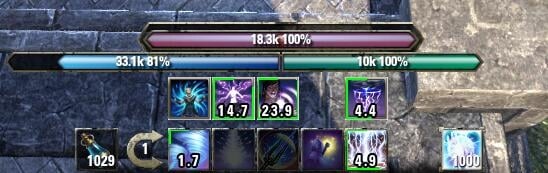
This addon tracks your sloted actions that have duration attributes or over time effects, reminds you to re-invoke your actions, and makes you good at performing rotations.
Features
- Show current action duration remaining seconds in action bar,
- Show a shift bar of swapped action hints above their original action bar position,
- Auto move player resource bars upward when they are conflicted with shift bar,
- Support actions without duration attribute but have DOT effects such as Desctructive Touch or other timed effect such as Elemental Drain,
- Keep the ending 0.0 hints blinking for a little longer after duration finished, so they don't get lost easily,
- Switch correspongding timer hints for current reticle over target,
- Support actions stackable effect counting such as nightblade's Grim Focus and its morphs,
- Append shift bar on top of ultimate button to show third ability bar such as overload bar action timer hints,
- Override action duration with target debuff effect, e.g. change Beast Trap's 60s timeout to 6s timeout after triggered.
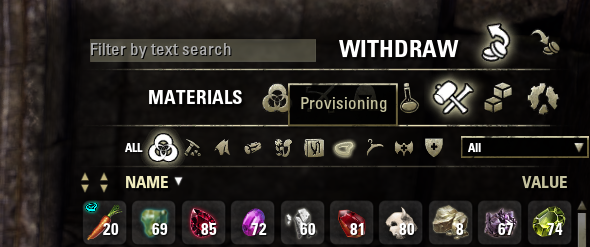
Finally, Advanced Filters! The default inventory has type filters, but they're still WAY too broad. This add-on fixes that!
Features:
- Subfilters to find exactly what you're looking for!
- Main inventory, personal bank, guild bank, guild store, vendors, and craft bag support!
- Custom icon work that makes the add-on feel like it came with the game!
- Empty subfilters are greyed out and inaccessible to help save you time searching!
- Shortens the time you need to find an item in your inventory!
- German, French, Russian, and Spanish localization! (some are partial, PM me for corrections/additions)
- Extensible filter system for authors to create additional dropdown filters! (See included documentation for details)
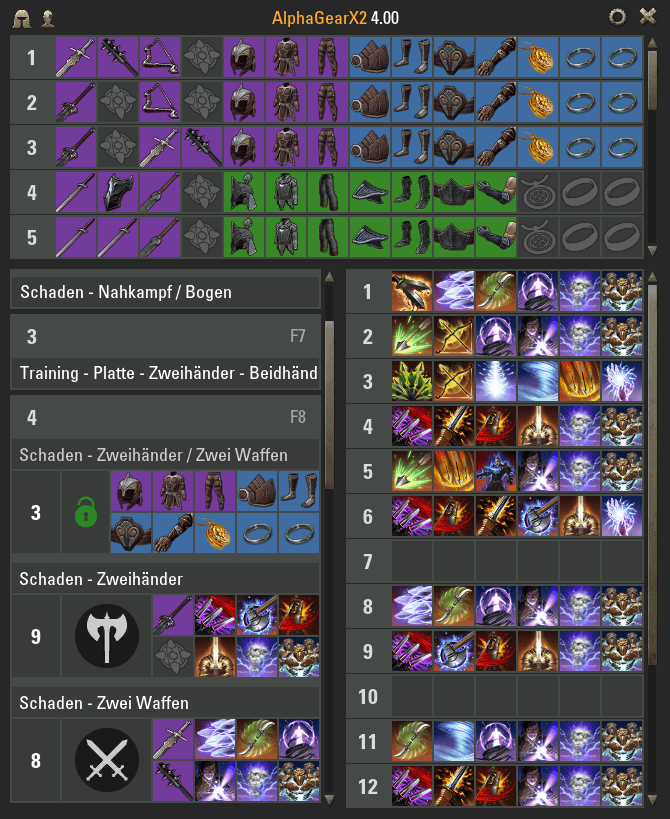
AlphaGear lets you create up to 16 sets of gear that may be equipped with a single button press. You can assign each set to a different key on your keyboard for easy swapping when out of combat. This is not the same as regular in-game weapon swapping as it allows you to swap both of your weapons, both of their skill bars and your entire armor set at the same time! Fantastic!
AUI is an addon that consists of several modules that change the user interface of ESO to simplify combat situations: Minimap, Action bar, Unit frames, combat statistics, and buffs.
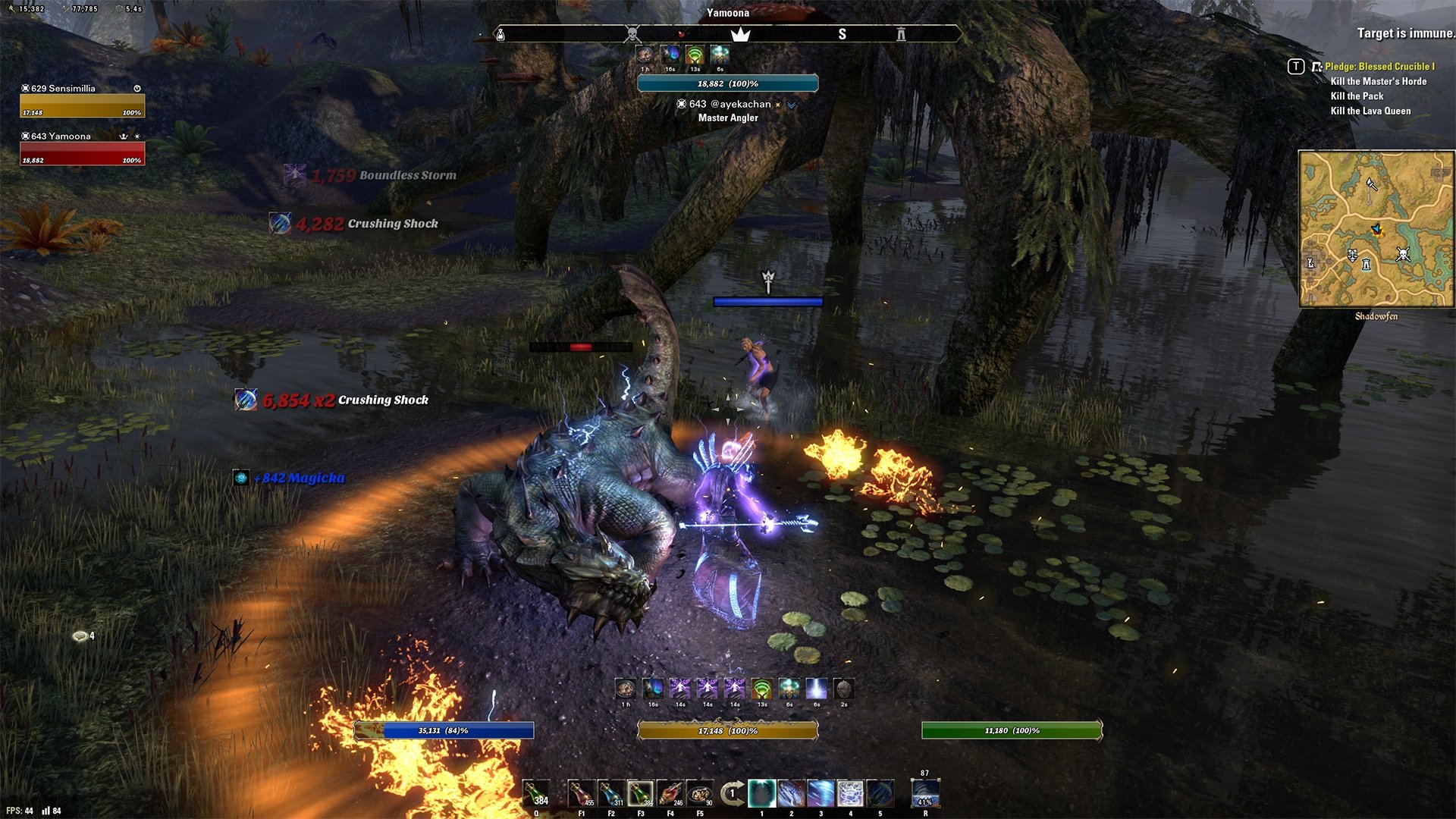
This addon augments the guild store interface with many useful additions.
Features:
- Search Tab Improvements
- Category filters like in the inventory
- Subcategories similar to Advanced Filters
- Range sliders for level, price and quality filters
- Multi selectable item property filters (traits, enchantments, etc.)
- Text filter for results on current page
- Persistent filter state
- Reset buttons for each individual filter and all filters at once
- Search history and favorites
- Start search button
- Per unit price display
- Loading overlay
- Advanced page navigation
- Sell Tab Improvements
- Categories selection like on the search tab
- Select items quickly for listing with a single click
- Sliders to select sell quantity and unit price
- Full craft bag support
- Listing Tab Improvements
- Sortable headers
- Number of listed items
- Loading overlay
- Select guilds quickly with two clicks from the dropdown or even faster via the mousewheel
- Shows the current guild trader location in a tooltip
- New custom Icons
- Full support for English, French, German, Russian and Japanese
- *BETA* List of all guild traders in Tamriel (enable in the settings and access it via the guild menu)
and more
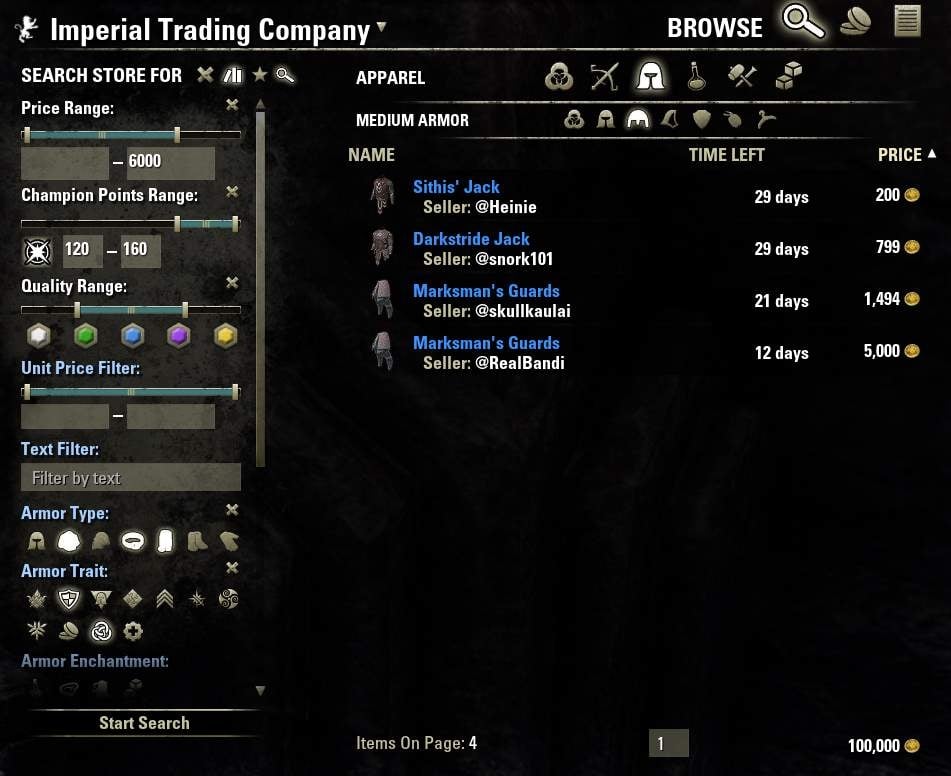
Combat Metrics is an addon to track your fights. You can use it to measure your DPS, you can analyse which skills make your DPS or who caused your incoming damage. You can also analyse the heals you received or cast. You can check which buffs and debuffs were running, how much magicka or stamina per second you used and regenerated. You can Analyse the Combat log, filter it to analyse specific issues.

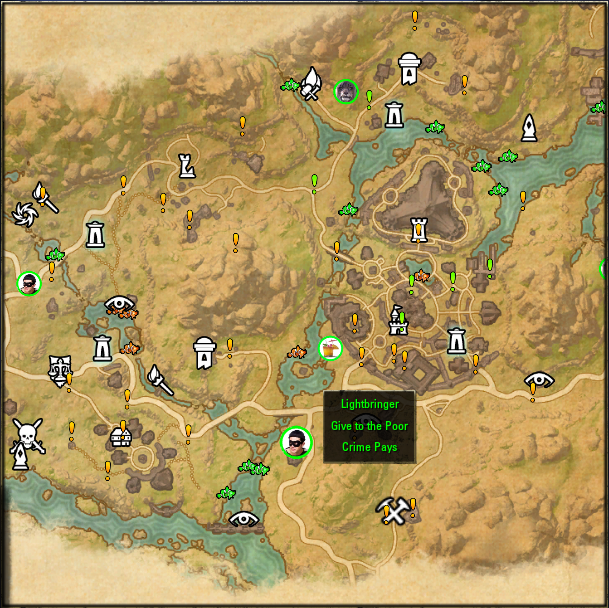
CraftStore provides a interface you can use everywhere, everytime with a collection of:
All craftable sets with the option to instantly port to the nearest wayshrine
All provisioning recipes with the option to mark its ingredients
All crafting writs for your daily quests if interacting with a crafting station
Keep track of all your characters:
All researched traits, research in progress and used research slots
All research timer, mount training timer, level
All provisioning recipes
All styles
All stocked items on every character
All these trackings are visible in your inventory, bank, guild bank, guild store and loot window, needed items are marked:
(!) your current character need this item
(!) one or more of your alternate characters need this item
(!) this is a ingredient required for a marked recipe
All these features are selectable for each of your characters
You have a 12 and 24 hour countdown to collect your hireling mails
You can see your daily fence transactions and your gold income today
The interface is completely interactive, with tooltips and a right click mostly post into chat
Last but not least CraftStore provides you a complete new designed, well optimized interface for Provisioning and Enchanting
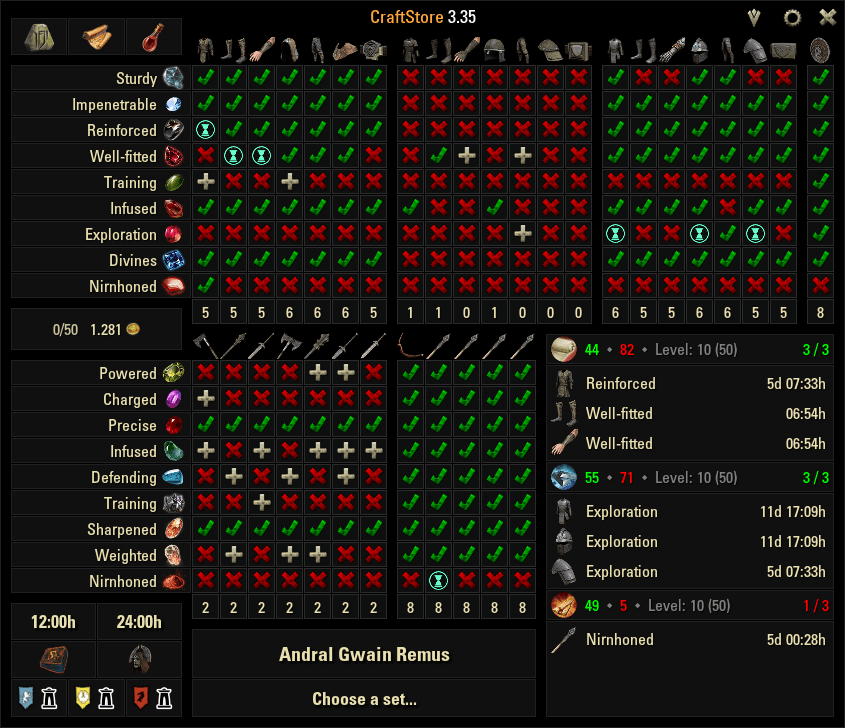
This addon will show the following on your maps and radar depending on your settings:
I like M'aiq
Give to the Poor/Crime Pays/Lightbringer
Peacemaker
Nose Diver
This One's on Me
One Last Brawl
Orsinium Patron
Wrothgar Cliff Jumper
Wrothgar Master Relic Hunter
Breaking and Entering
A Cutpurse Above
Dungeon Bosses (Dungeon Champions)
Ayleid Wells
Werewolf/Vampire spawns
Vampire altars
Werewolf Shrines
Dwemer Ruins
Quest Givers (SEE BELOW!!!)
Fishing spots including optimal bait
Collectibles spots (NOT FULLY IMPLEMENTED YET!)
The following can be shown on your maps depending on your settings:
The POI's below can be shown with french, german, japanese or russian AND english names on non-english clients.
Wayshrines
Area of Interests
Public Dungeons
Mundus Stones
Dolmens
Group Bosses
Group Dungeons
Quest Hubs
Crafting Locations
Solo Dungeons
Group Events
Group Delves
Trial Instances
This addon lets you easily make sets of gear of yourself, or other players, at any quality! You can even access the UI from anywhere, so you'll never have to worry about forgetting an order again!
Once you've added a piece to the crafting queue, the addon will craft it when you arrive at a station where it can do so, assuming you have the knowledge and materials to make it.


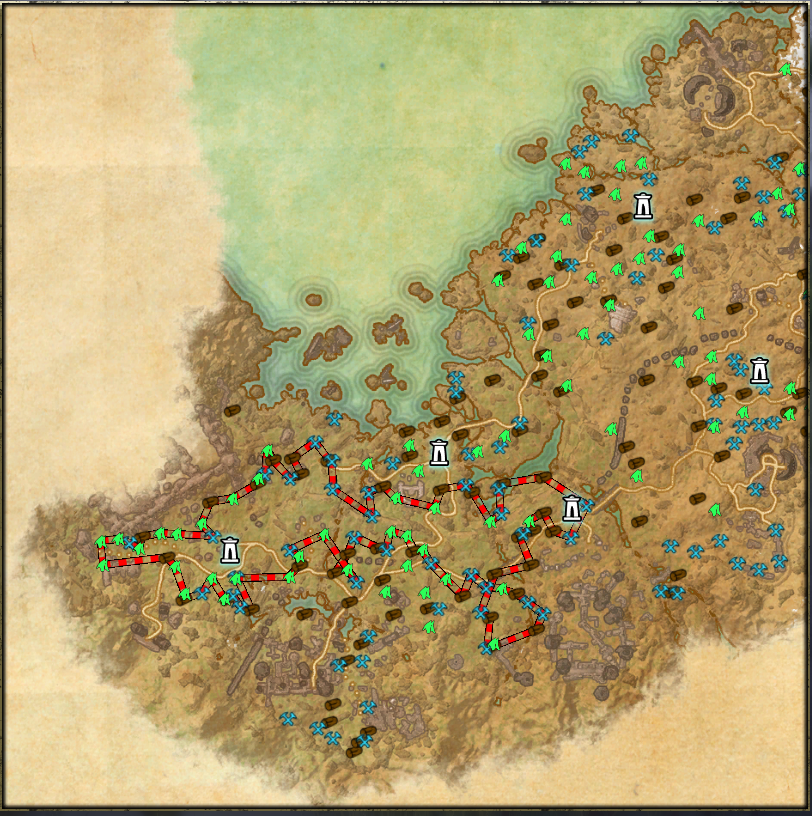
HarvestMap (formerly known as EsoheadMarkers) displays resource nodes, chests and fishing spots on map, compass and the 3d world.
Features:
displays (already discovered) harvest nodes and chests on map, compass and in the 3d world
heatmap mode, which displays the resource density on the map
farming helper which will calculate a farming tour with a very high resource per time ratio
filters for each pin type (chests/ore/herbs etc)
size and color settings for each pin/resource type
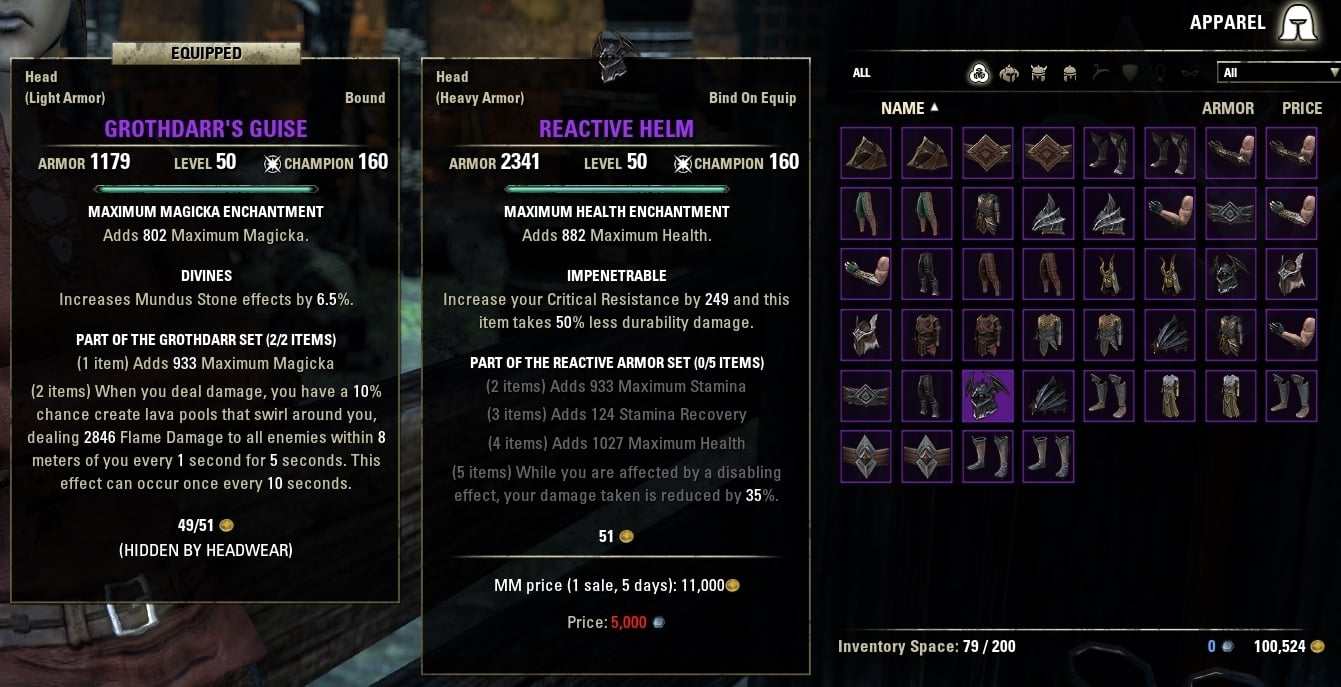
Replace your default inventory's list view with a more compact grid view! The default list view shows 11-12 items at a time (in my case), so it can become a pain to navigate your inventory.
Grid view sacrifices detailed information for more pictures. Sometimes you want the detailed information, so I've included a keybind that will toggle the grid on and off.
Features:
Grid view for your main inventory, your bank, your guild bank, your craft bag, NPC's stores, AND the buyback screen!
Toggle grid view on and off! Useful for when you need to scan with more information.
Customizable grid size.
Four default skins to choose from, with more available for download.
Authors can submit their own skins for download. (See Inventory Grid View Skin Template for details.)
Offsets item tooltips so they do not cover up the grid (can be turned off).
Set scale of item icon animation.
Works with Advanced Filters and other inventory addons such as Item Saver and AlphaGear!
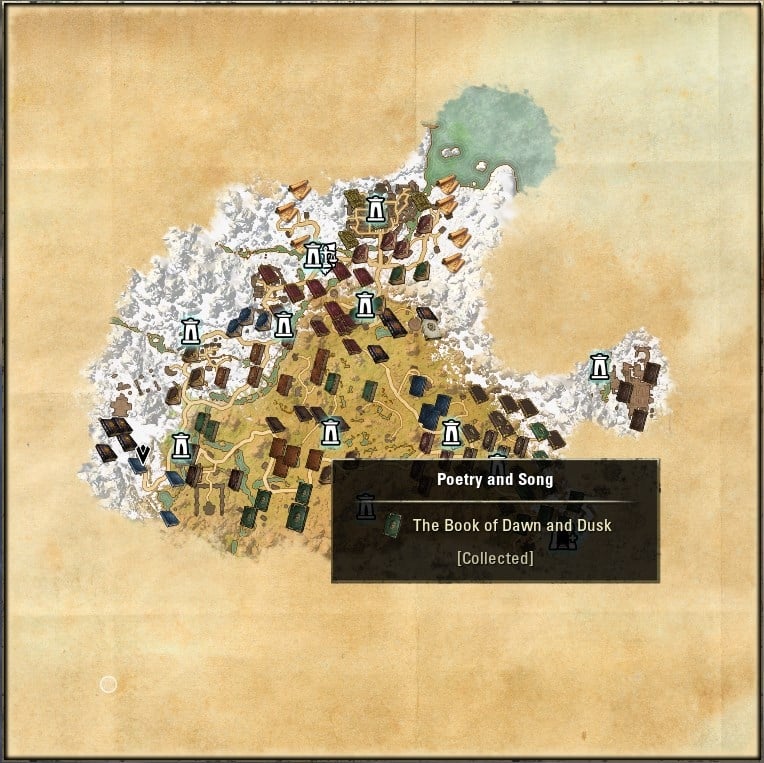
Displays map pins for Shalidor's Library books and Eidetic Memory Scrolls
Features :
Pins on maps of all books of the game. Divided into 3 filters Unknown Lorebooks, Collected Lorebooks, Eidetic Memory. In both Keyboard & Gamepad Modes. Pins also displays if book is in a dungeon & for Eidetic Memory linked to which quest.
Pins on your compas for the Unknown Lorebooks & Eidetic Memory. In both Keyboard & Gamepad Modes
Possibility to unlock Eidetic Memory even without doing the Mage Guild Questline.
Automatic sharing of discovering in order to improve the addon
Improvements of the Lore Library in Keyboard Mode:
A research for collection and boks at the top of the library
Coordinates of each book with a right-clic on the book. It will open map, zoom & set a rally point on the focused book.
For Eidetic Memory, a tooltip to inform if book is in a bookshelve, in a dungeon, linked to a quest, etc.
A detailled report and its copyable version in the Lore Library throught R keybind.
Lost Treasure is an Elder Scrolls Online addon that shows treasure map and survey locations on your World Map. It includes every known treasure map and survey location.
Features :
Filter out treasure map or survey icons on map. Make sure the filter is checked if you want to see treasure map icons. By default enabled.
Show ALL treasure maps and ALL survey locations for ALL zones
Build in minimap that you can keep on your screen for locating treasure or surveys easier.
Full support for english, french and german clients.
Options to scale and select textures for your map markers
Uses Compass Bar when you get close to treasure or survey location.

Lui Extended contains several separated addon components: unit frames, lightweight information panel, scrolling floating combat text, active effects tracker, simple damage meter and additional chat announcement module.
Unit Frames
Default Unit Frames Extender
Displays numerical values of current players and targets attributes (health, magicka, stamina)
Optionally reposition default unit frames in the center of the screen
Set out-of-combat opacity of the default unit frames
Adds player class icon to target name label
Change target name label colour according to this target reaction; set custom colours.
Custom Unit Frames - inspired by ggFrames and FTC
New Custom Frames for Player, Target, Small and Raid Group, Bosses encounter
Provides visuals for attribute regen/degen state and unit armor and power modifiers
Each frame can be switched on and off independently of each other
All frames are unlockable and movable and resizable
InfoPane
a lightweight informative panel, non customizable.
Information about network latency, clock and FPS
Information about mount feeding status, equipped item durability, weapon charges and bag capacity
Information are colored depending on their current status (e.g. FPS get red if it drops below 25 fps)
Optionally tracks trophies for IC Vaults
CombatInfo
Shows combat related information like damage or heal
Shows cooldown information inside skillbar
Monitor Player Health/Magicka and Stamina and issues alert when current value drops below threshold
Displays current Ultimate value and percentage and makes alert when Ultimate skill becomes ready
Duplicates Active Combat Tips provided by API
Cloud-like text provides three combat related information areas:
Center area
Shows damage from player and heal to group members
Shows experience and alliance points gain
Shows attributes drained/energized
Left area
Shows heal on player
Shows damage on player
Right area
Shows heal from player to any non-group units
Scrolling text appears in 2 places:
Left arc - Incoming
Incoming damage from any sources
Incoming healing from self and others
Attribute energize events
Experience gain
Right arc - Outgoing
All outgoing damage from self and pets
Active Effects Tracker
Tracks and displays as icons all effects provided by game API (mundus stones, food, cyrodill buffs, and as of last patch short-term effects):
Tracks buffs and debuffs for player and target and displays icons in corresponding areas
Works best with this addon Custom Unit Frames
Watcher for potions usage
Icons for active effects contains numerical cooldown value
Fadeout expiring buffs icons (optional)
Areas containing icons can be moved freely on the screen (when set to be unlocked from unit-frames)
Long-term effects can be optionally completely ignored for player and/or target
Long-term player effects could be placed into separate window to keep them away (like in the window corner).
Damage Meter - credits go to FTC
Counts damage and healing done and damage received for each fight
Allows player to report his values to other players
Allows for detailed statistics of last combat
Collects time-dependents statistics and plot it as a graph
Chat Announcements
Prints to chat information on following events:
Group member join and leave. Character name is clickable link
Received loot (looted, pickpocket, mail attachment)
Changes in player gold
Experience gain for non-combat events
Achievements progression steps

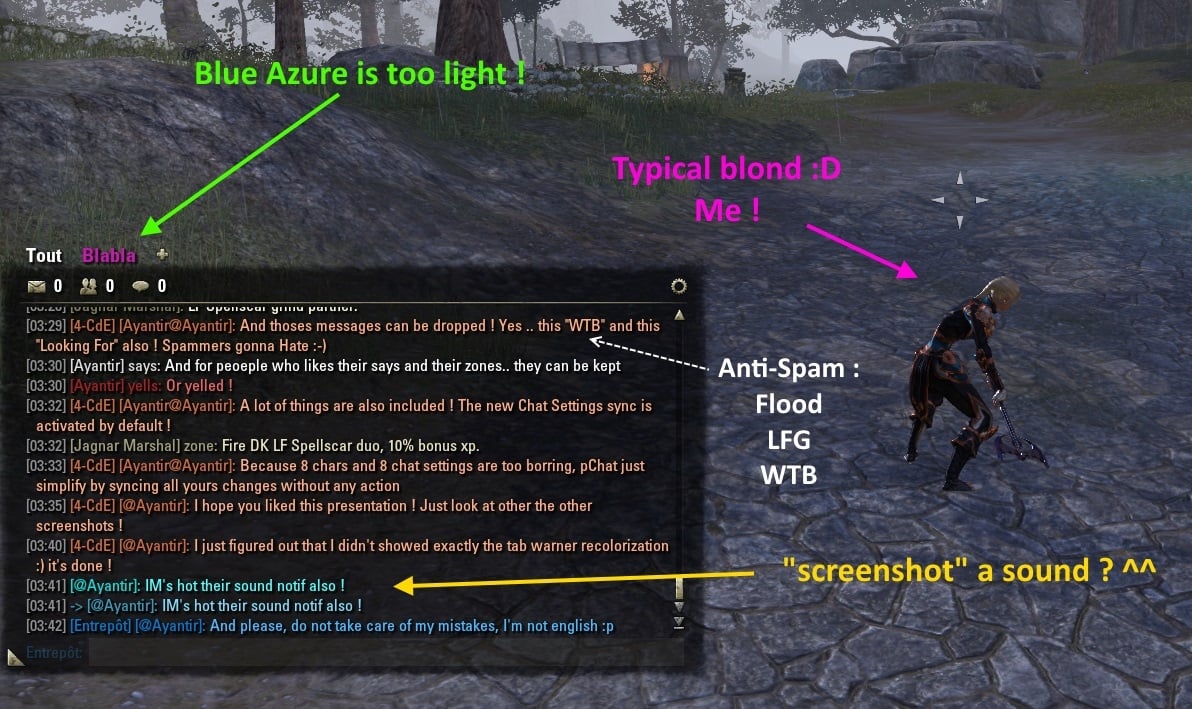
pChat is an addon to overhaul the way text is displayed in the chatbox, make your chat customizable as it should be
Features
Character Rewrite : Because in your guild chat you won't see @JohnTheRipper but Bugnark gro-Moshul, pChat replace Account names with Character Names. Customizable by guild and PlayerName@AcountName available too.
Copy Text : You want to copy your chat ? Right click, and Ctrl+C
Anti-Spam : Bored of LFG, WTB and other flooding players ? AntiSpam without any configuration
Resizing Chatbox : Got a Full HD screen or more ? So let's resize your Chatbox up to fullscreen
Timestamps : For the ones who like precision, now all messages got their timestamps. Hightly customizable to show your desired format. 11:43 PM or 23:43:12, choose the one you like.
No more Whisp missed : A whisp : A sound. Visual Notification if you want it too.
[21:08] [pChat] [Ayantir]: Because chat should be easy to read : Timestamps, From Info and Messages can be colorized as you like
Rename your Guilds Chans : Guild Tag or Officer one, each channel can be renamed
French / German translations : Russian & Spanish Translations too
Exit /g1, /say, /o1 : Click on chat, timestamp, channel name, and pChat will set your channel to the one you clicked on
Chat history : No more chat wiped when you'll reloadUI. Also include a restore history when you logout, get kicked or disconnect.
New Fonts embedded : 15 new fonts if you don't like the default one. And you can add the one you want too.
Darker chat window : If your eyes need a little help to improve your chat reading, and if you don't like background it can also be always transparent.
And many other features : Redundant information like "says" are optionally removed, Prevent chat text from fading, Set default channel & tab at login, Strip Colors to avoid Rainbow Messages, Automatic Party Switching, Remove Brackets on Player Names, Change Tab color, Automatic chat configuration between chars, No Guild reorganization when you leave a guild, System Messages in the tab you have chosen, Keybinds to switch between tabs and toggle chat window, Automated messages system, Party Leader own color, Clear current tab, Auto switch channel when using arrow keys, Configurable switches for channels
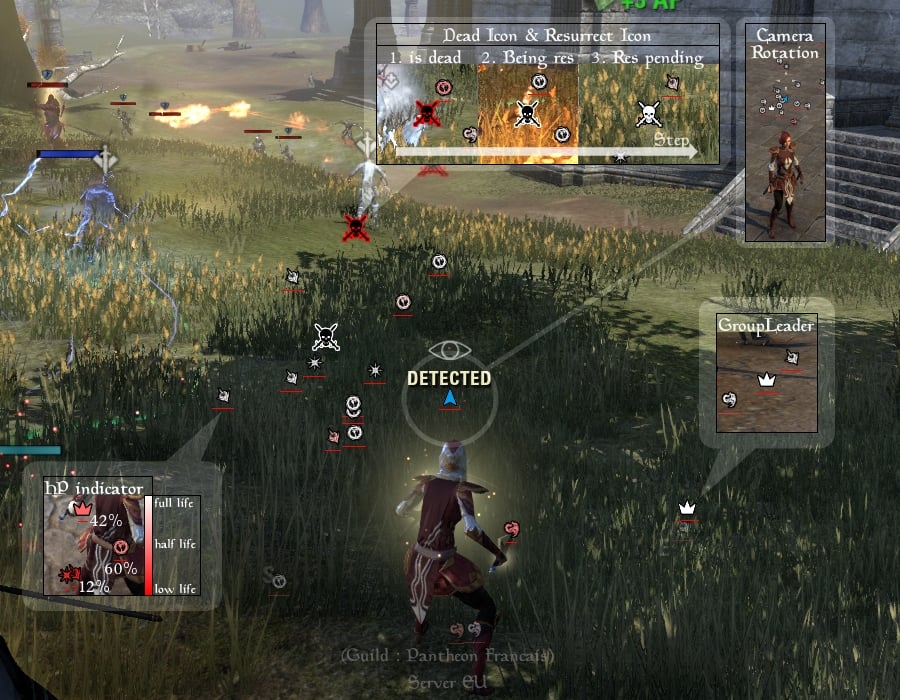
TeamFormation is a user Interface for The Elder Scrolls Online, designed to show the positions and health of your teammates, like a radar.
You can easily see the positions and health of your teammates :
- Healers : See the position of damaged teammates so you can easily heal them.
- Leader : See the position of your teammates so you can easily decide what orders to give.
- Dps : See the position of teammates so you can stay near them.
- Tank : See the position of Healers & Dps who take damage so you can regain agro.
- All : See the position of dead teammates and their resurrection status.
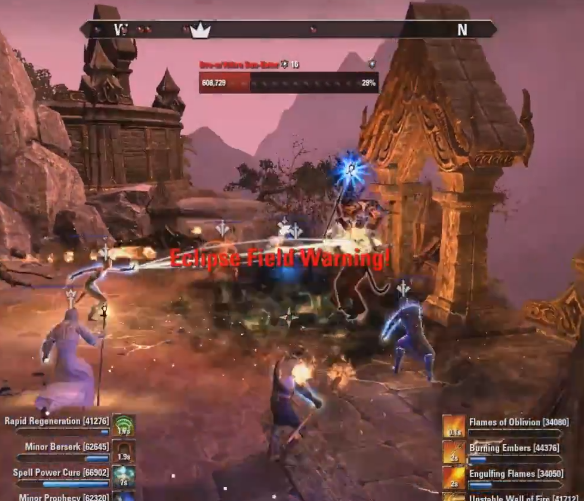
Originally created by Silentgecko this addon started out with a few alerts but has since grown to huge proportion. Ranging for alerts that let you know there's a certain effect on you to alerts that warn you about an incoming hit. It's almost as if you can see into the future! Now of course there are still things you will need to look out for yourself but hopefully Raid Notifier will ease some of the burden.
Alerts
Each alert can have its own sound and many of them can be configured to display it for everybody and not just for you. You can see a full description for each alert in the settings menu. Of course each and every alert can be disabled
Hel Ra Citadel
Warrior: Stone Form
Aetherian Archives
Storm Atro: Impending Storm
Storm Atro: Lightning Storm
Stone Atro: Boulder Storm
Stone Atro: Big Quake
Mobs: Overcharge
Mobs: Call Lightning
Sanctum Ophidia
Serpent: Magicka Detonation
Serpent: Poison Phase
Mantikora: Quake
Mobs: Troll Boulder Toss
Mobs: Troll Poison
Mobs: Overcharge
Mobs: Call Lightning
Dragonstar Arena
General: Taking Aim
General: Crystal Blast
Arena 2: Crushing Shock
Arena 6: Drain Resource
Arena 7: Unstable Core (Eclipse)
Arena 8: Ice Charge
Arena 8: Fire Charge
Maw of Lorkhaj
Zhaj'hassa: Grip of Lorkhaj
Zhaj'hassa: Cleansing Platforms (beta)
False Moon Twins: Aspects
Rakkhat: Unstable Void
Rakkhat: Threshing Wings
Rakkhat: Darkness Falls
Rakkhat: Dark Barrage
Rakkhat: Lunar Bastion Gained
Rakkhat: Lunar Bastion Lost
Mobs: Armor Shattered
Mobs: Marked for death (Panthers)
Mobs: Sun-Eater Eclipse Field (negate)
Maelstrom Arena
Stage 7: Poison
Stage 9: Spectral Explosion (Synergy)
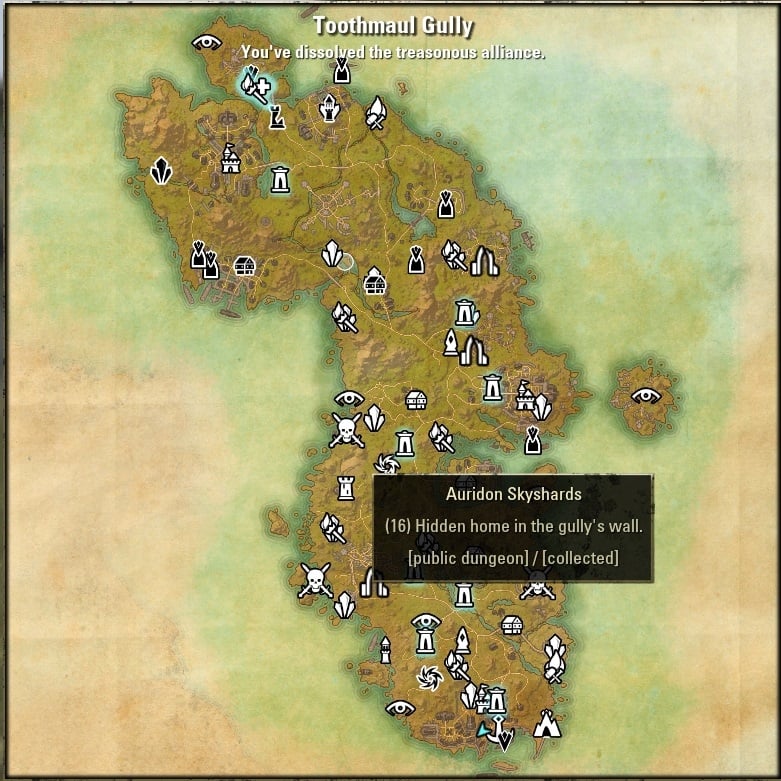
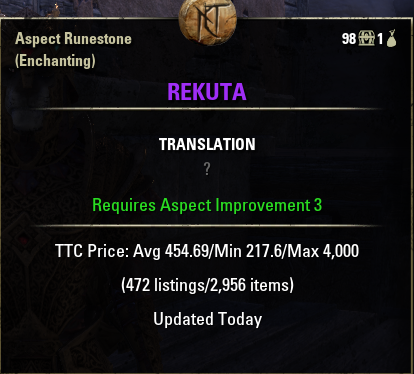
Global trade search tool (requires a desktop application to work)
The addon for http://tamrieltradecentre.com/
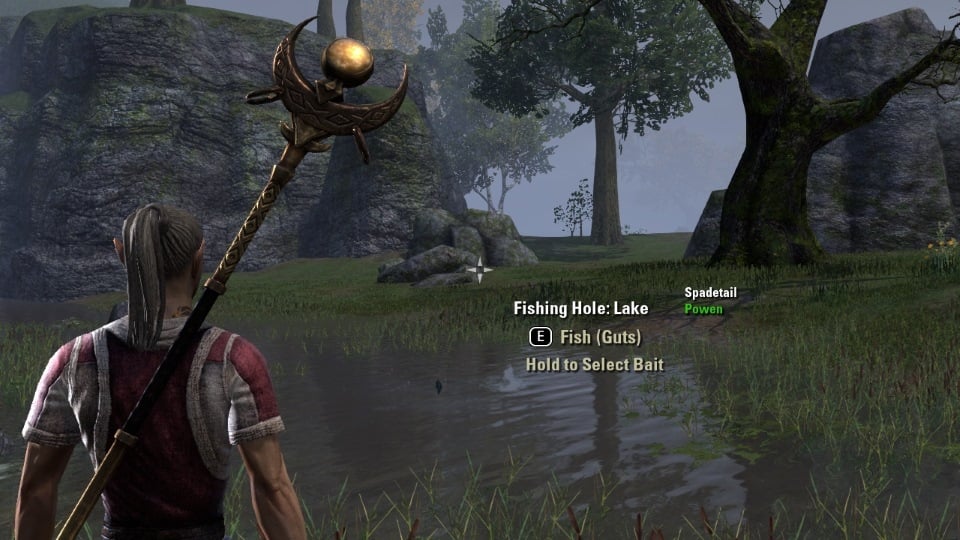
This addon stores the type of a fishing hole once a specific fish or bait was catched. The type and the fishes and baits already catched there, are shown in the interaction menu while focusing the fishing hole.
Pins with a corresponding color are added to the map.
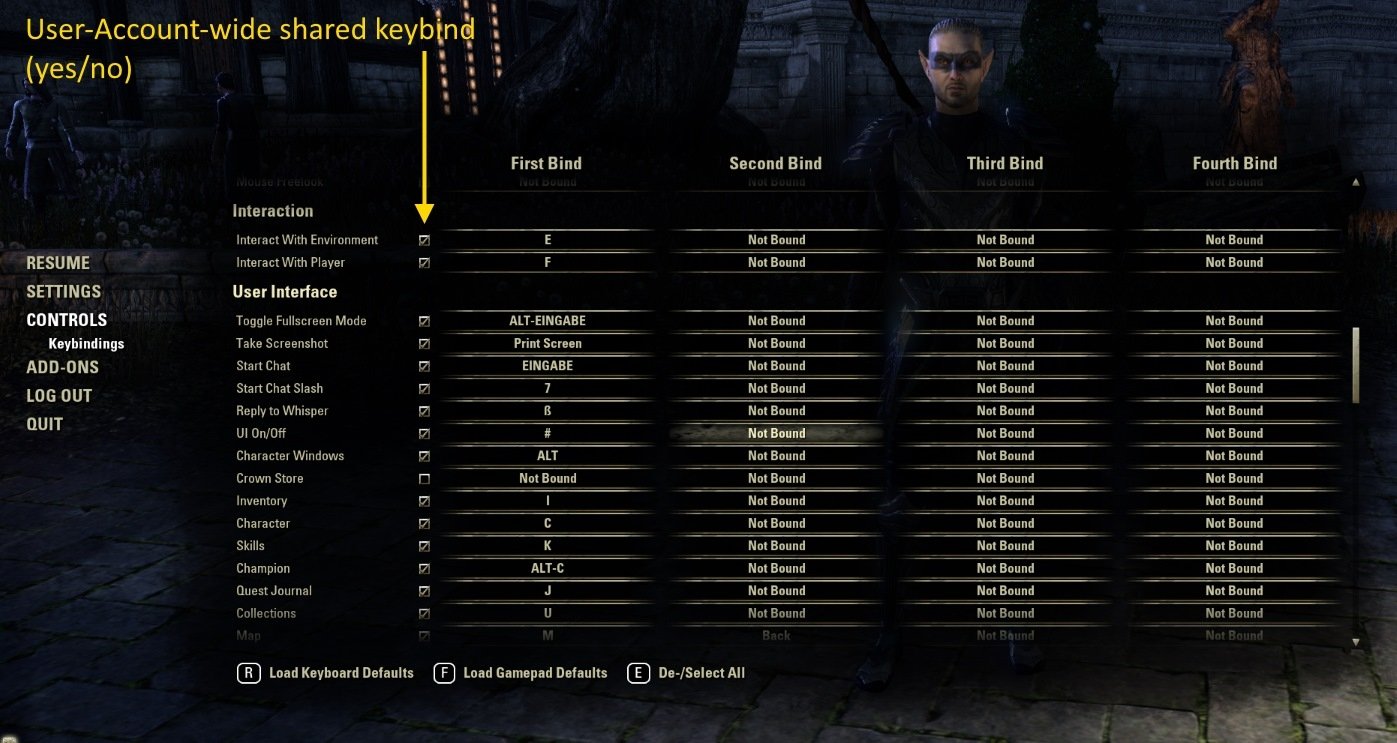
Adds checkboxes to keybind dialog for user account wide shared keybindings.
In addition, since v1.2.0, a text search filter looking for:
Category
Sub-category
Action name
Localized action name
Technically ZOS is right, if they say keybindings are a per-character setting, because they can differ. But in consideration of the human factor most keybindings will not differ. I (and this addon) assume everybody has a prefered keyboard-layout, which is used across all characters. Only a few keys will be re-used for different, character specific addons. If you agree, this addon may something for you.